By an industry veteran in custom systems integration, enterprise middleware, and multi-channel retail databases.
In our guide on Why Siloed WhatsApp Stores Fail, we established that a conversational shop cannot run on its own database. If you want to scale WhatsApp Commerce without inventory discrepancies, pricing errors, or shipping tracking bottlenecks, your chat bot must be an integrated front-end mirror of your existing systems.
But how does this connection actually work at the code level?
Need an Expert Opinion?
Stop guessing. Speak directly with a senior AdaptNXT engineer about your architecture, timeline, and feasibility.
How do you bridge Meta's WhatsApp Cloud API with the Shopify Admin API, WooCommerce REST API, or the Amazon Selling Partner API (SP-API)? How do you coordinate real-time updates when thousands of customers are browsing your catalog simultaneously across different channels?
At AdaptNXT, we build custom integration pipelines for high-volume retail brands. We don't rely on generic, slow middleware. We construct direct, webhook-driven sync architectures that operate with sub-second latency.
This technical guide outlines the architecture blueprint for catalog syncing, real-time inventory calculations, and automated order injection across the major e-commerce platforms.
The Three Synchronization Pipelines
A complete multi-channel WhatsApp integration requires three distinct database pipelines, each operating on a different schedule and trigger mechanism:
- The Catalog Sync (Daily Batch / Event-Driven): Pushes product descriptions, images, variants, and prices from your main platform to the Meta Commerce Catalog.
- The Inventory Sync (Real-Time Webhooks): Listens for stock level changes across all sales channels and immediately updates Meta's database to prevent overselling.
- The Order Routing Pipeline (Instantaneous Webhooks): Captures completed carts in WhatsApp and injects them directly into your warehouse fulfillment system.
Pipeline 1: Syncing the Meta Catalog
Meta allows businesses to showcase products natively in WhatsApp using Catalog Messages and Multi-Product Messages. To make this work, you must sync your inventory to Meta's Commerce Manager.
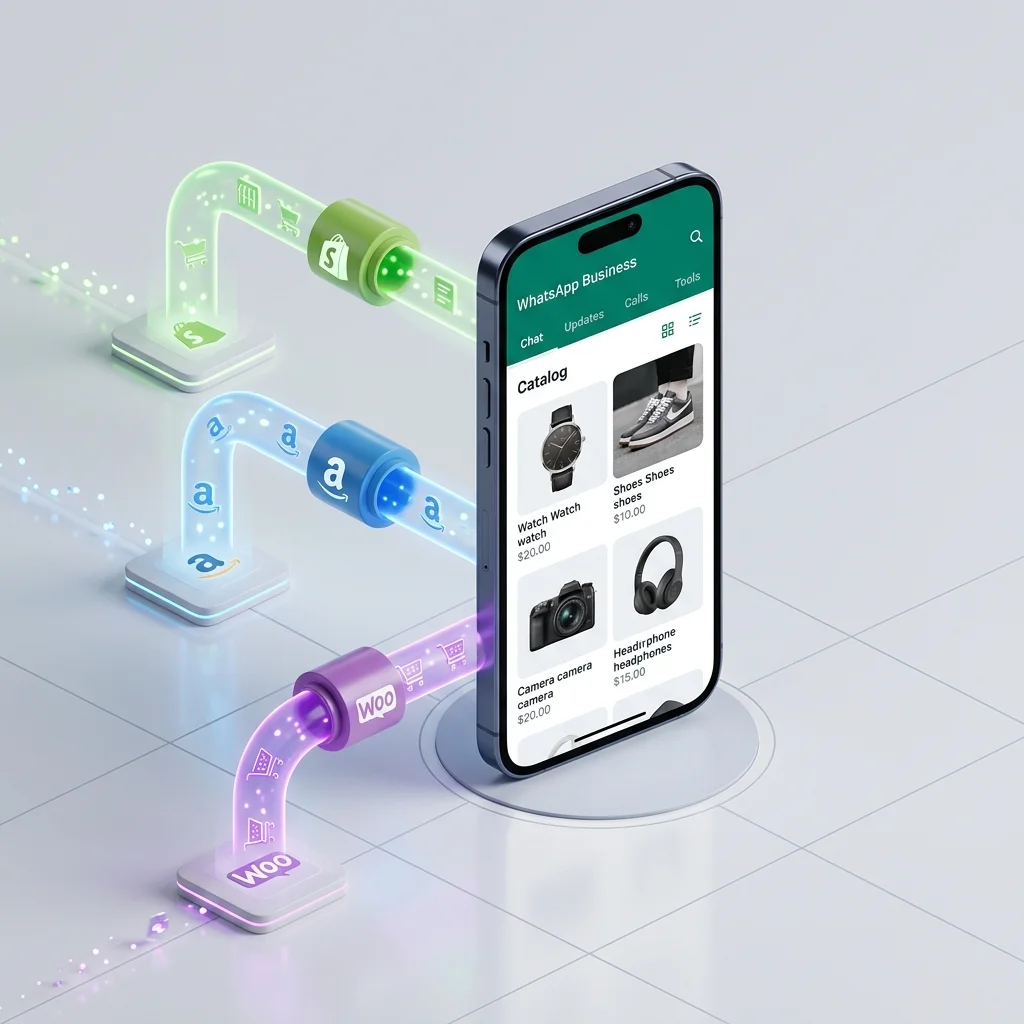
If you are on Shopify or WooCommerce, you can utilize standard Meta plugins to sync your catalog. However, if you are running a complex multi-channel setup (e.g., selling some items on Shopify, others on Amazon, and custom bundles on WhatsApp), plug-and-play tools fail. You need a custom feed pipeline.
The Custom Catalog Feed Architecture
We build an integration worker that queries your product master database via GraphQL, compiles the items into a structured XML or JSON schema, and uploads it to Meta via the Meta Catalog Batch API. For active inventory, we use event-driven updates. When a price changes on your backend, our system fires a `POST` request to Meta's catalog endpoint to update the specific SKU immediately, ensuring price consistency across your website and chat thread:
// Example Meta Catalog API Update Payload
POST /v18.0/{catalog-id}/items_batch
Content-Type: application/json

{
  "requests": [
    {
      "method": "UPDATE",
      "retailer_id": "SKU-LEATHER-BOOTS-10",
      "data": {
        "price": 8999,
        "currency": "INR",
        "availability": "in stock"
      }
    }
  ]
}
Pipeline 2: Real-Time Inventory Sync (The Webhook Loop)
To guarantee you never double-sell, stock levels must update globally the microsecond an order occurs. We establish an event-driven webhook architecture.
Here is how the inventory sync loop operates when an order is placed on Shopify:
- A customer buys a product on your Shopify site.
- Shopify fires an immediate `orders/create` or `inventory_levels/update` webhook to our integration gateway.
- Our gateway extracts the SKU and new inventory count from the JSON payload.
- Our system immediately issues an asynchronous API call to Meta's Graph API to update the corresponding SKU in the WhatsApp catalog.
Handling Flash-Sale Spikes via Caching
If you run a promotional campaign and receive 100 orders per minute, firing 100 direct API calls to Meta will trigger rate limits and crash the sync pipeline.
To prevent this, AdaptNXT implements a Redis Caching Layer. Instead of calling Meta's API directly on every webhook, we write the new inventory counts to a high-speed Redis cache. A background worker picks up the cached values, aggregates updates for the same SKUs, and flushes them to Meta in batched requests every 3 seconds. This protects API limits while guaranteeing inventory accuracy.
Pipeline 3: Automated Order Injection
When a customer places items into their native WhatsApp cart and taps "Send Cart," the WhatsApp Business API delivers a JSON payload containing the SKUs and quantities to our webhook receiver.
Here is the technical translation process to inject that order into Shopify or WooCommerce:
Step 1: SKU Normalization
Meta identifies products by their Catalog ID or Retailer ID. Before creating the order, our system queries our mapping database to translate the Meta SKU into your backend system's specific product variant ID. (For example, translating Meta's `SKU-SHIRT-BLUE-L` to Shopify's variant ID `4289481239401` or Amazon's ASIN `B08XY72K9`).
Step 2: Pricing and Tax Calculation
We do not trust the price sent by the client device (as users can manipulate client-side code). Our system queries your backend database (Shopify or WooCommerce REST API) to pull the true, current price of the items. We then calculate shipping rates, apply regional taxes (like GST in India), and generate the total invoice.
Step 3: Direct API Ingestion
Our system compiles the data and posts it to your store API to generate the order. Here is a simplified code example of how we inject a WhatsApp order into the Shopify Admin REST API:
// Injecting WhatsApp Cart Order into Shopify Admin API
const shopifyOrderPayload = {
  order: {
    line_items: [
      {
        variant_id: 4289481239401, // Normalized Shopify ID
        quantity: 2
      }
    ],
    customer: {
      first_name: "Rahul",
      last_name: "Sharma",
      phone: "+919876543210" // Customer's WhatsApp Number
    },
    note: "Order placed via WhatsApp Shopping Bot",
    financial_status: "pending" // Set to paid once gateway callback succeeds
  }
};

axios.post('https://your-shop.myshopify.com/admin/api/2026-04/orders.json', shopifyOrderPayload, {
  headers: {
    'X-Shopify-Access-Token': process.env.SHOPIFY_API_ACCESS_TOKEN,
    'Content-Type': 'application/json'
  }
}).then(response => {
  console.log('Order successfully injected. Shopify Order ID:', response.data.order.id);
});
Once injected, the order follows your standard fulfillment logic. Your warehouse team packs the order, prints the label, and updates the tracking number, which fires a webhook to notify the customer via WhatsApp—completing the autonomous loop.
The Multi-Channel Sync Validation Checklist
Before launching an omnichannel WhatsApp integration, ensure your engineering team has addressed these key system challenges:
- SKU Mapping Directory: Do you have a database table linking your master SKUs to their Amazon ASIN, Shopify Variant ID, and WooCommerce SKU?
- Rate Limit Scopes: Have you calculated your API call scopes for Shopify (40 requests/min bucket) and Meta Graph API to prevent rate blocking during peak sales?
- Fallback Buffering: If your e-commerce API goes down, does your webhook receiver queue the incoming WhatsApp orders in a secure queue database (like RabbitMQ) to prevent lost sales?
- NPT Time Synchronization: Are all edge nodes and cloud database servers synchronized to NTP to prevent out-of-order webhook processing?
The Bottom Line
A WhatsApp shopping bot is only as powerful as the integrations supporting it. Decoupling the front-end chat interface from your backend databases via clean, secure, and buffered API pipelines is the only way to scale conversational commerce safely.
By standardizing communication protocols, caching API requests, and automating draft order injection, you create an omnichannel ecosystem that runs with high reliability, minimal maintenance, and zero manual overhead. (To understand the cost advantages of bypassing third-party subscription software in favor of direct connections, see our guide on Why Custom API Integrations Deliver Better ROI).
At AdaptNXT, we build custom, high-speed API connectors that link WhatsApp directly with Shopify, WooCommerce, Amazon, and ERP databases. We handle the data pipelines, write the protocol translators, and build the secure queues to protect your business logic. If you are ready to connect your sales channels with a custom shopping bot, connect with our e-commerce API architects to design your pipeline →